Just Got Your Thermomix®? Yay! 🎉
First off — congrats! You’ve officially joined the club of people who say things like, “Oh, I’ll just do that in the Thermo.” 😆
Whether you’ve just unboxed your brand new TM7 or you’re still figuring out what all those buttons do, this post will walk you through the basics — so you can start cooking with confidence today.
Step 1: Get to Know Your Thermomix®
The Thermomix® is like a kitchen superhero — it chops, blends, steams, kneads, cooks, and more.
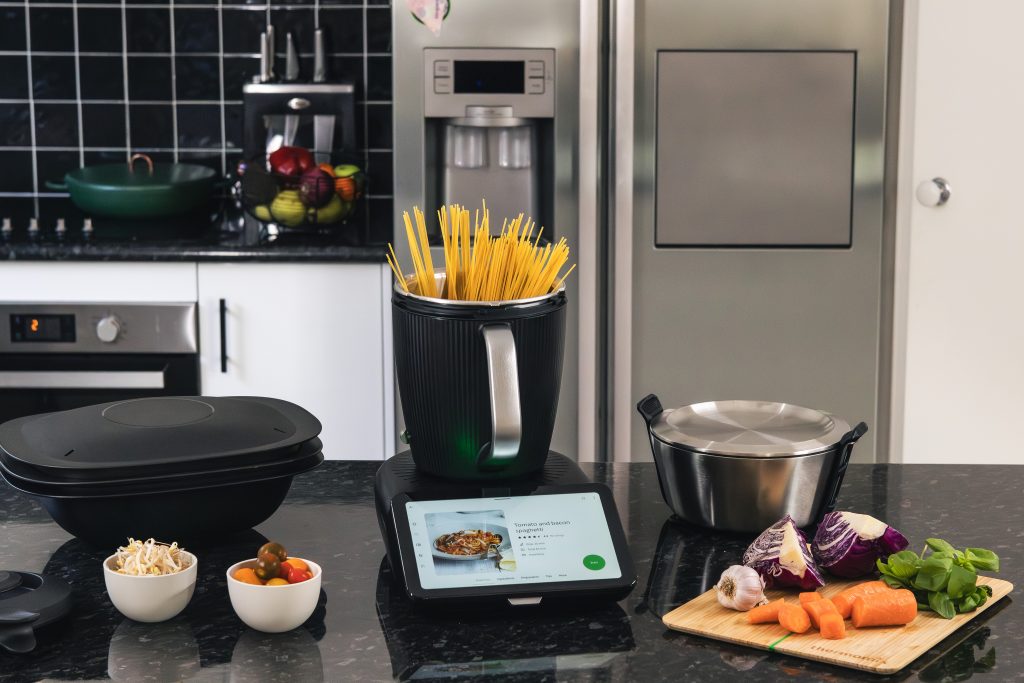
Here’s what each main part does:
- Mixing Bowl: Where all the magic happens 🍲Insulated so it’s cool to touch
- Blade: For chopping, stirring, kneading, blending
- Lid + Cap: Keeps it safe and splash-free
- Varoma: For steaming veggies, fish, dumplings, you name it
- Touchscreen: Your best friend — everything is guided right there!
- Simmering Basket: Your extra helper that you can use to steam, strain, poach, separate
- Spatula: Helps scrape off all the extra goodies stuck on the side
Once you’ve got your machine connected to Wi-Fi and logged into Cookidoo®, you’ve unlocked thousands of guided recipes (seriously, it’s like Netflix for food 🤩).
Quick Tip:
Watch this Getting Started with your TM7 playlist on the Thermomix® Australia and New Zealand YouTube channel
Step 2: Unlock the Power of Cookidoo®
Cookidoo® is the official Thermomix® recipe platform and your best friend for stress-free cooking. Think of it as a digital recipe library with thousands of guided recipes at your fingertips. Sign up to Cookidoo® for a free 30 day trial, and when you purchase your Thermomix, you will receive and extra 3 months free. Check out these Cookidoo® tutorials
Why Cookidoo® Is So Useful for Beginners
- Step-by-Step Guided Cooking
- Each recipe gives precise instructions on the screen, including timings, speeds, and temperatures.
- No guesswork, even for complex meals.
- Automatic Ingredient Scaling
- Adjust the recipe for 2 servings or 8 servings, and the Thermomix® recalculates everything automatically.
- Meal Planning Made Easy
- Save recipes to your favourites or create weekly meal plans.
- Filter recipes by dietary preferences, cooking time, or skill level.
- Discover New Recipes Every Week
- Cookidoo® is updated regularly with new recipes and seasonal inspiration.
- Browse by type, occasion, or ingredient.
- Integrated Shopping List
- Add all ingredients to a shopping list with a single tap.
- Perfect for busy families who want to save time at the supermarket.
- Order Woolworths Click and Collect directly from your Cookidoo shopping list
Quick Tip:
Once your Thermomix® is connected to Wi-Fi and logged in, you can start cooking directly from the touchscreen, no extra device needed. It’s like having a personal cooking assistant right in your kitchen.
Step 3: Start Simple
Don’t dive straight into a 3-course dinner — start small!
Here are a few easy recipes that every beginner should try:
- 🥕 Vegetable Stock Paste: Learn to chop, cook and blend
- 🥤 Fruit Smoothie: Learn to blend and adjust speeds
- 🍞 Bread Dough: Your first knead! Pizza Bianca is a fav in our house
- 🥣 Pumpkin Soup: Classic, creamy, and foolproof
- 🍝 Tomato Pasta Sauce: You’ll never buy a jar again
Each of these will help you get familiar with your Thermomix®’s settings, timing, and modes — without stress.
Quick Tip:
Check out the Thermomix® Manifesto on Cookidoo – so many great tips and recipes to be found, perfect starting place for beginners
Step 4: Use Guided Cooking
If you’re nervous, don’t be! The Guided Cooking mode literally walks you through each step on screen.
You’ll see:
- Ingredients (already weighed for you)
- Step-by-step instructions
- Pre-set times, speeds, and temperatures
It’s basically impossible to mess it up 😅
Step 5: Clean-Up Is a Breeze
Here’s a game-changer — your Thermomix® cleans itself.
Just fill it with water and a drop of detergent, turn it to speed 10 for 10 seconds, and boom — mostly clean!
You can also use the pre-set Pre-Clean mode for sticky or doughy messes.
Check out our article on How to clean and maintain your Thermomix for more tips!
Step 6: Join the Community
There’s a whole Thermo-family out there 💚
Join Aussie Thermomix® Facebook groups (like the Thermomix® in Australia or the Skinnymixers page), follow hashtags like #ThermomixAustralia, and of course, hang out with me at Hello Thermo — where I share new recipes, tips, and real-life hacks every week!
Final Thoughts
Learning your Thermomix® is like learning to drive a car — it feels like a lot at first, but soon you’ll be cruising without even thinking.
So take your time, have fun experimenting, and don’t stress the small stuff. Before you know it, you’ll be whipping up restaurant-quality meals on autopilot 😎